Community & senior centers
Welcome visitors, manage memberships and household passes, and keep daily programs organized.
Community Management Platform
Less time chasing records. More time bringing people together.
Available now, with annual licensing and help getting started.
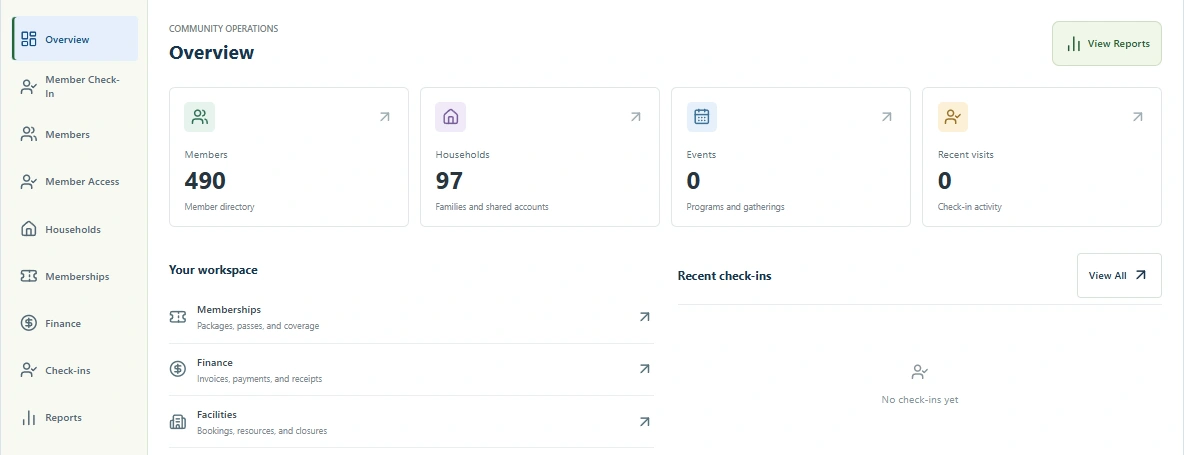
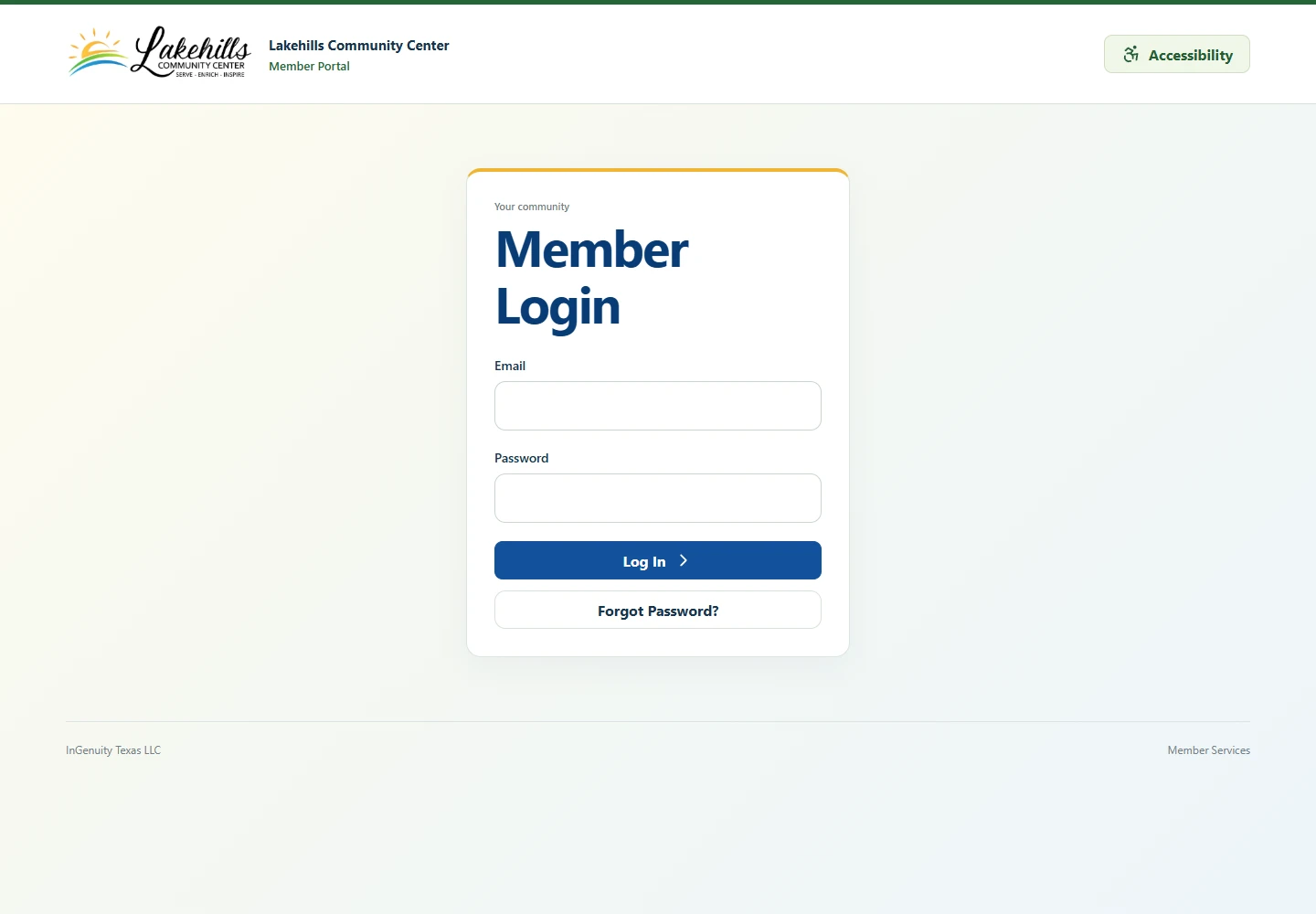
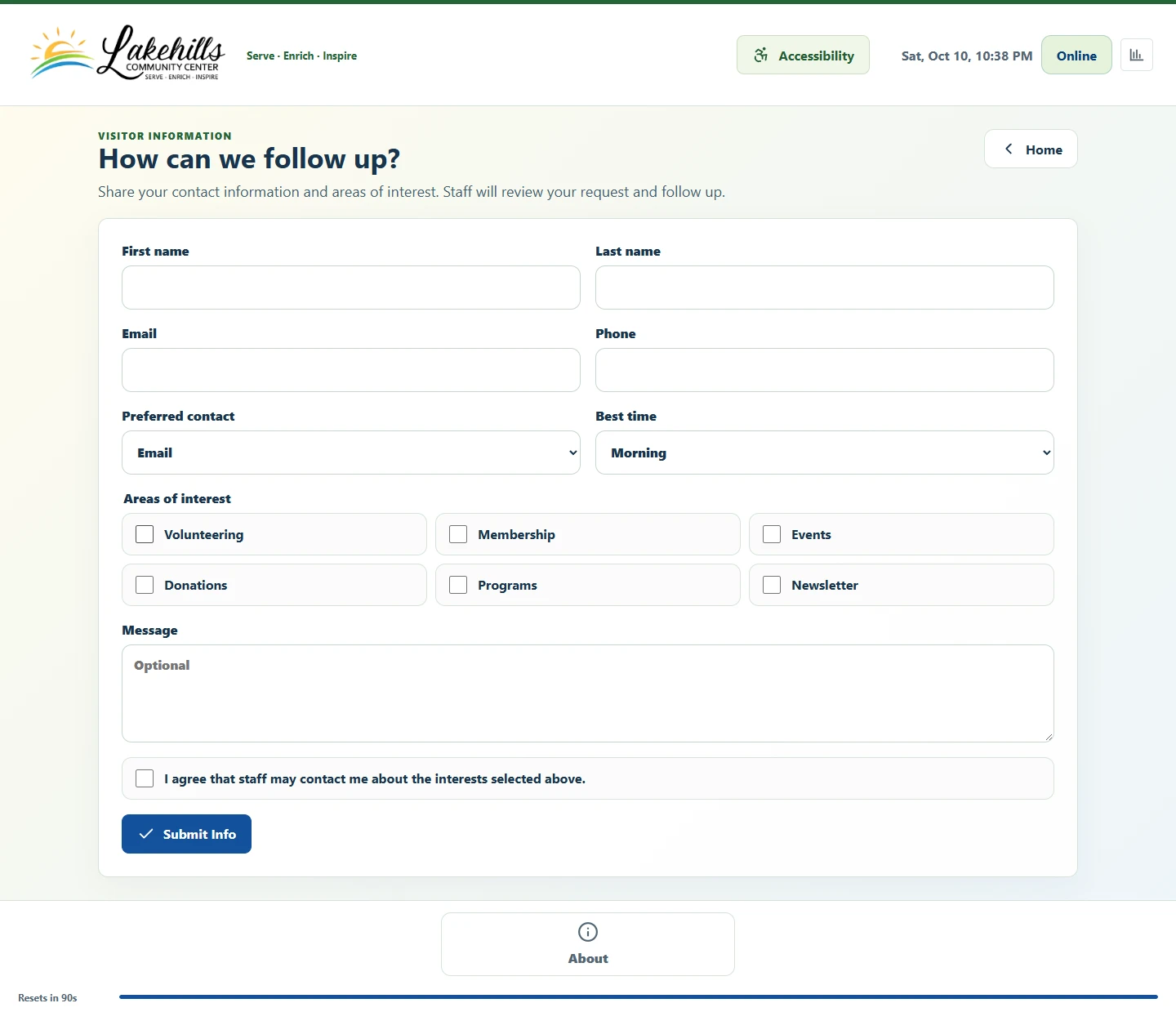
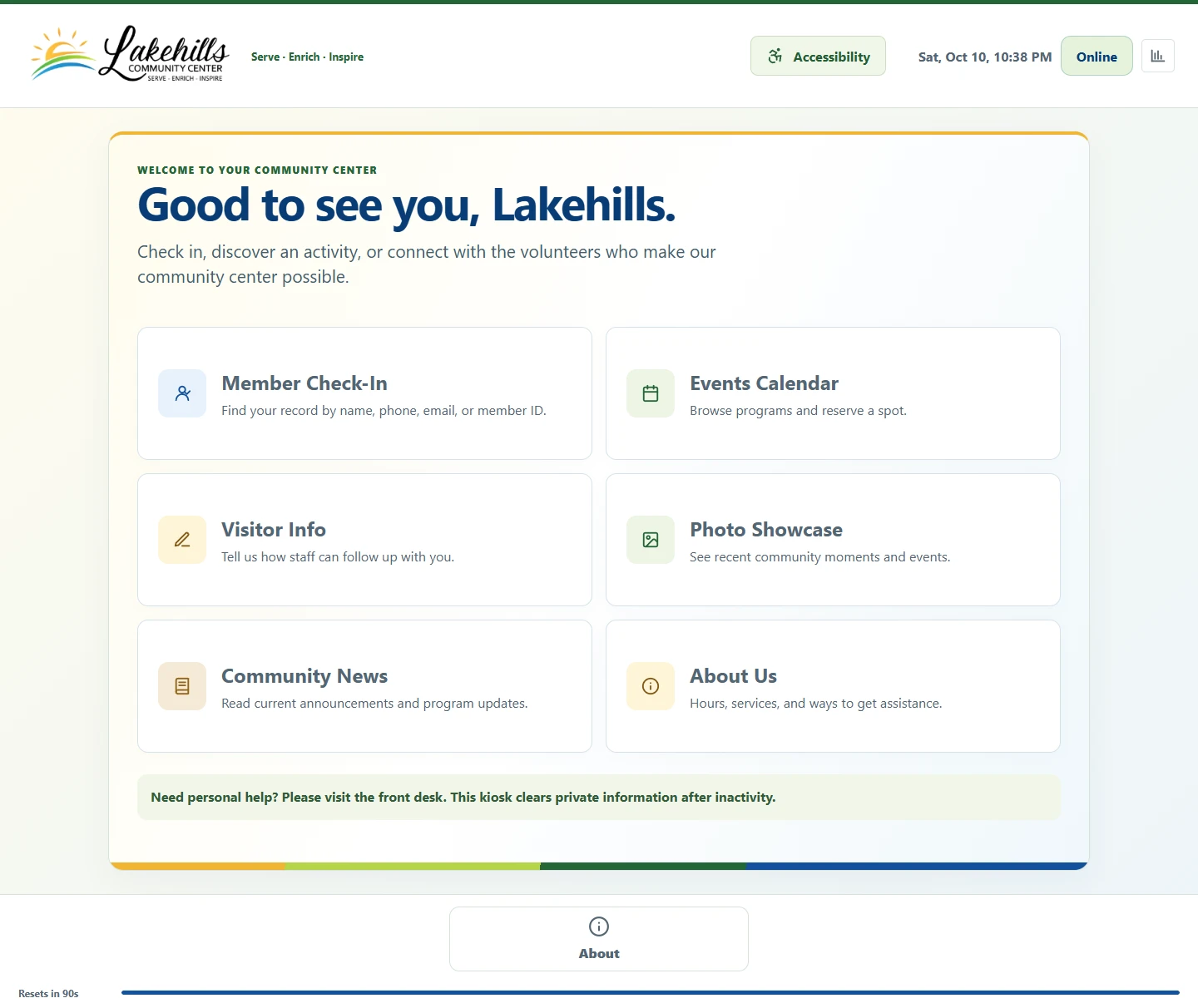
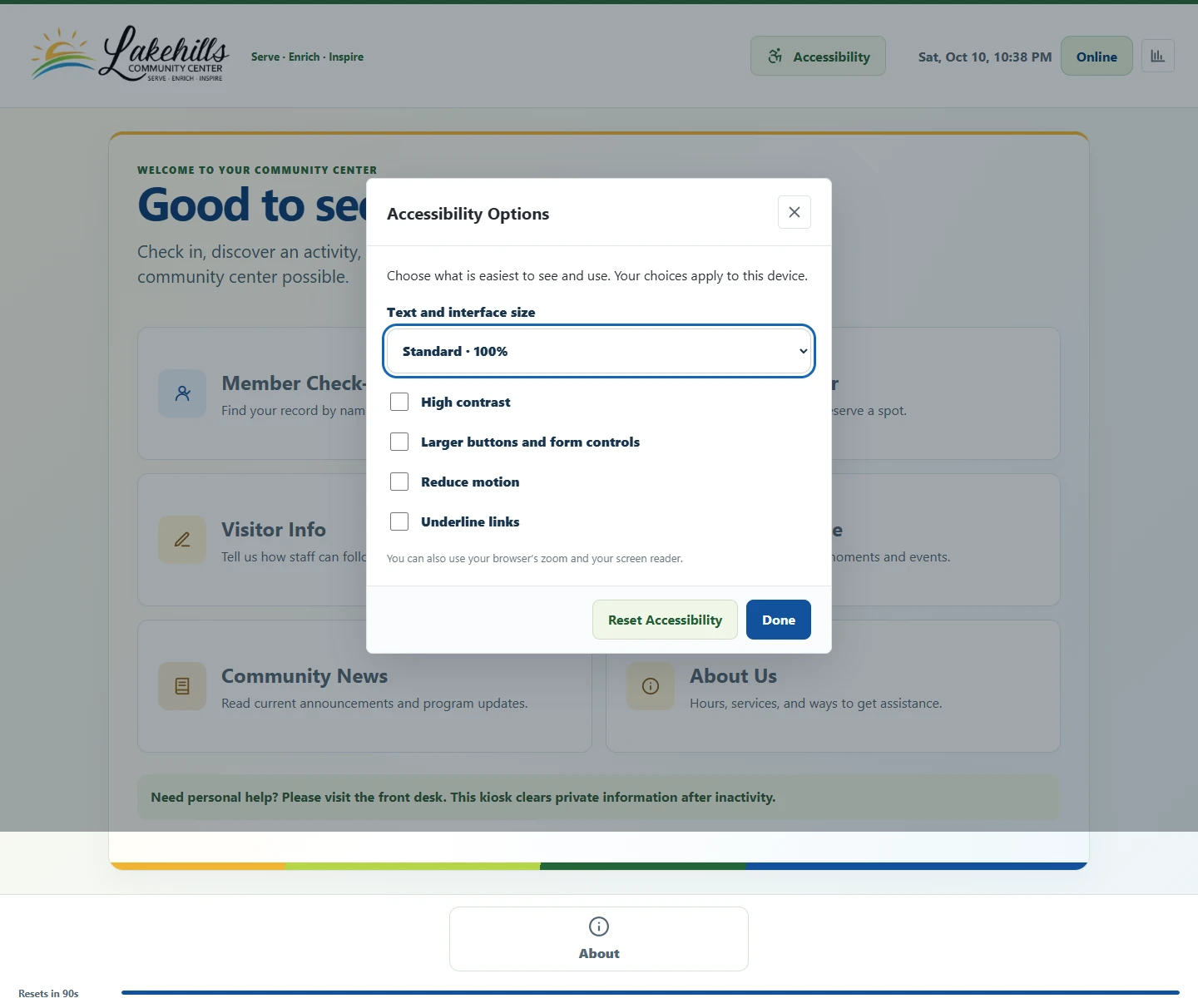
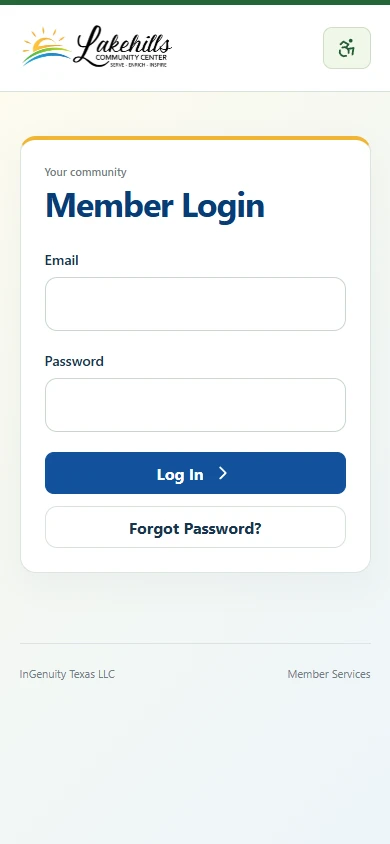
Lakehills' staff workspace brings memberships, households, and everyday tools together. No personal records are shown.
Built around community life
Who's here today? Is that family's membership current? Is there room in the workshop? InGenuity Community brings the everyday details together, so your team can spend more time with the people you serve.
Welcome visitors, manage memberships and household passes, and keep daily programs organized.
Keep people, outreach programs, registrations, and follow-up together. Give a small team a clearer picture without adding another stack of spreadsheets.
Organize clubs, after-school activities, family workshops, attendance, and shared spaces. Keep staff and families connected around the programs they take part in.
Coordinate community wellness programs, education events, rooms, and nonclinical visitor information. This is an organizational tool, not an electronic health record or patient-care system.
Track attendance, set registration limits, manage waitlists, and help staff review eligibility.
Manage rooms, booking requests, closures, and setup time so staff can see how a space is being used.
Experience behind the software
Our design team brings many years of experience in the nonprofit and education industries. We know a busy front desk, a small staff, and a tight budget aren't unusual exceptions. They're the everyday reality.
That experience shapes InGenuity Community: a welcoming experience for visitors, connected tools for staff, and practical help getting everything set up.
One connected platform
A visitor checks in. A member saves a spot. A staff member reviews a room request. It all connects, without asking your team to keep the same information in three different places.
Find a member by name, number, phone, or email. Check eligibility, record a visit, and give staff a clear way to review an exception. Visitor follow-up forms, news, and photo galleries make the kiosk more than a sign-in screen.
Keep contact details, mailing addresses, membership levels, renewal dates, and staff notes together. Correct a record without losing the reviewed import information or the history behind it.
Link family members, manage approved access, and review shared membership benefits. Staff decide who's covered; adding someone to a household doesn't automatically give them a paid membership.
Publish activities, set attendance limits, collect registrations, and keep an ordered waitlist. When a space opens, your team can see who's next without hunting through messages.
Handle room requests, reservations, closures, and setup or cleanup time. Scheduling checks help catch conflicts before two groups arrive expecting the same space.
Approved members can manage their profile, review memberships and visits, register for activities, and request facilities. The web portal can live alongside your website, including a prepared WordPress host, without depending on the kiosk PC.
Bring in spreadsheet and CSV records, match the columns to the right fields, and check for duplicates before approving an import. When a match isn't clear, staff can review it before records are linked.
Define membership offers, household coverage, annual or permanent terms, invoices, and renewal workflows. Square and Stripe connection work is part of the platform; live checkout and recurring-payment scope are confirmed for each rollout.
Prepare announcements and newsletters with layouts, colors, typography, pictures, captions, and a preview. Consent and delivery controls belong in the workflow. Customer mailbox setup and live sending are separate rollout checks.
Authorized staff can publish selected programs and occupied facility times to an application-created Google calendar. Publishing is an explicit, one-way action, with private member details left out. Your local schedule remains the source of truth.
Choose the screen visitors see first, pick the menu items they need, and set how quickly the kiosk clears an idle session. Name your devices and assign settings to each one, whether it's at the front desk or in another building.
Approve member access, choose what each staff role can do, and apply your account-security settings. Linking Google doesn't grant extra permissions or a paid membership. Activity records help staff see who changed what.
Offer larger text and controls, high contrast, reduced motion, clear keyboard focus, and underlined links. The same accessibility choices are shared across kiosk, staff, and member screens.
Review attendance, memberships, and registrations, and export records when you need them. Set up your organization's branding, locations, content, and modules without changing how another organization uses the software.
Your staff workspace, member portal, and Windows kiosk work with the same organization records. Before launch, we check access permissions, connect your devices, test the integrations you've chosen, and agree on support. Payments and email need their own setup and checks; they're simulated in the public demo.
A look inside
Current screens from the Lakehills version, including its live website portal and connected staff workspace. Personal records and signed-in identities are not shown.
Staff can move between memberships, finance, facilities, and reporting. This capture shows only aggregate counts and navigation.
Collect interests, contact preferences, and consent before following up. No visitor information was entered or submitted for this screenshot.
A member's starting point on the center's live website, shown here on a phone-sized screen without signing in.
Why consider InGenuity?
A check-in shouldn't create more work for the office. A room booking shouldn't live in someone's inbox. Bring people, programs, and shared spaces together, with a team that can help you make the most of them.
Check-in can use the membership record, a registration can appear in the member portal, and staff can review the activity in one place. Your team doesn't need a separate spreadsheet for every step.
The platform supports organization branding and configurable modules. We'll help decide what your visitors need to see and what your staff needs to manage.
InGenuity can help with the software, the kiosk setup, your network, and staff training. You can discuss the whole setup with one team.
| Your need | Our approach | Ask other providers |
|---|---|---|
| Memberships and front desk | Connected household records, eligibility, passes, and kiosk check-in. | Does check-in use the same membership records, or require another tool? |
| Programs and shared spaces | Registrations, waitlists, facility requests, and staff scheduling. | Which registration and booking functions are included in the quoted plan? |
| Small teams and budgets | Annual licensing with a written quote for your organization's tools, setup, and support. | What is the full annual cost, including setup, support, processing, and add-ons? |
| Help getting started | InGenuity can coordinate configuration, reviewed imports, kiosk setup, and training. | Who helps with migration and equipment, and what does that service cost? |
Established membership and recreation platforms may already cover many of these needs. We'll help you compare the actual scope and total cost for your organization.
Annual software licensing
InGenuity Community is available for purchase through InGenuity. Tell us about the people you serve and the work you'd like to simplify. We'll put together an annual license and a setup plan that fits.
Your written quote explains what's included, what setup involves, and how we'll support your team. You know the scope and cost before you decide.
Request a QuotePurchases are arranged directly with our team. Try the demo, ask questions, and choose your setup before we arrange your launch.
A quote that fits your organization
Every organization works a little differently. Tell us about your team, your priorities, and your budget. We'll help you choose a practical starting point and put together a personalized quote, with room to grow when you're ready.
From a first look to your first day
We'll help you choose your setup, bring your records over, and get your team comfortable with the everyday tasks before launch.
Try the demo or take a guided walkthrough. We'll agree on the tools, locations, integrations, and support you need, then provide a written quote and license agreement.
We configure your workspace, branding, and staff access. Together we review the records you're bringing over and prepare any website or kiosk setup included in your order.
We'll walk staff through their everyday tasks, check the agreed workflows, and set a launch date together. Your agreement sets out updates, support, and renewal terms.
Common questions
The kiosk is the public-facing part. The wider platform includes a staff workspace, member and household records, registrations, facility scheduling, and a separate member portal.
InGenuity Community is our dedicated community-management product. Our Custom Software service is still available for other purpose-built tools and workflows. We'll help you decide whether this platform fits or whether your organization needs something different.
Request a quote and tell us about your organization. We'll confirm the scope, annual license, setup work, and support in writing. After you approve the agreement, we arrange your workspace, staff access, any agreed imports and device setup, and training. We check the agreed workflows with you before launch. You purchase permission to use the platform; you don't need to manage its source code.
We look at the tools you need, your locations and devices, the records you're bringing over, and the setup and support that would help your team. Tell us about your priorities and budget, and we'll work through the options together. Your personalized quote makes the scope and costs clear before you decide.
Yes, for suitable programs and administrative tasks such as clubs, workshops, wellness events, visitor check-in, and room scheduling. It isn't a student information system or electronic health record. We'll review your data, access needs, and privacy requirements before agreeing on a deployment; suitability and compliance depend on that setup.
Yes. The interactive demo uses a fictional community center and lets you explore staff, kiosk, and member views. Changes stay in your browser and reset on reload. It is a curated preview, not a production account, and has no live payments, Google authorization, or email delivery. You can also book a walkthrough focused on your organization.
Yes, we can help you review and import CSV records and configure your organization's branding. A member-portal host is available for compatible WordPress websites. We'll review your files, website, and access requirements before agreeing on the migration or integration work.
Connected member lookup, eligibility checks, and check-in require internet access. Some previously loaded interface assets can reopen during an interruption, but reliable offline record capture and later synchronization are still planned.
Google Calendar publishing has been tested in development using calendars created by the application. Payment connections and billing tools are also built, but live checkout, recurring payments, and email delivery need setup and testing for your organization. We'll confirm what's included before launch. The public demo doesn't send email, connect Google, or take payments.
Not necessarily. We'll review your display, computer, and network first. The current device host is for Windows; compatibility and equipment costs are part of the setup conversation. If you'd like a station designed for your space, explore our custom-designed kiosks, including freestanding, countertop, and wall-mounted options.
Ready for your next chapter?
Tell us what your team needs. We'll show you the platform and put a clear quote in your hands.